
Description
KAIRUHS V2.3 — FULL GLASS COCKPIT + RADAR FOR RC
Experience the ultimate FPV cockpit display built for serious RC pilots and drivers.
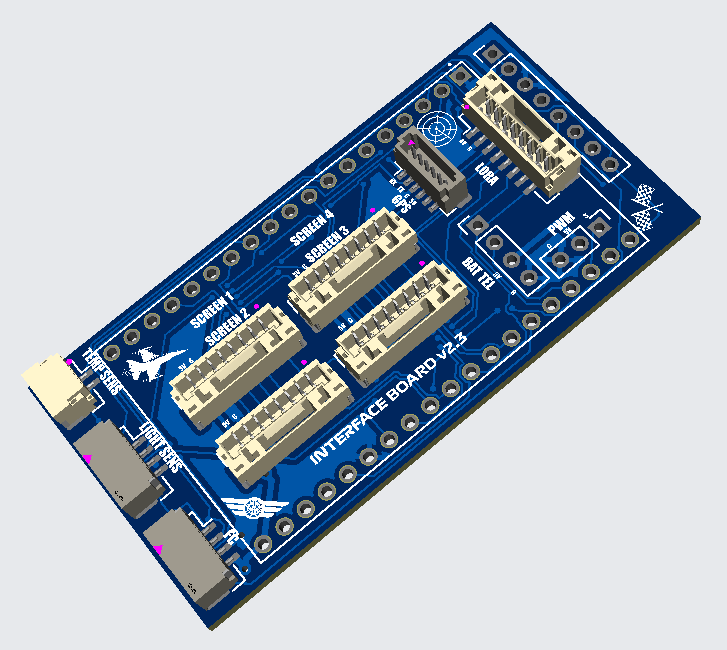
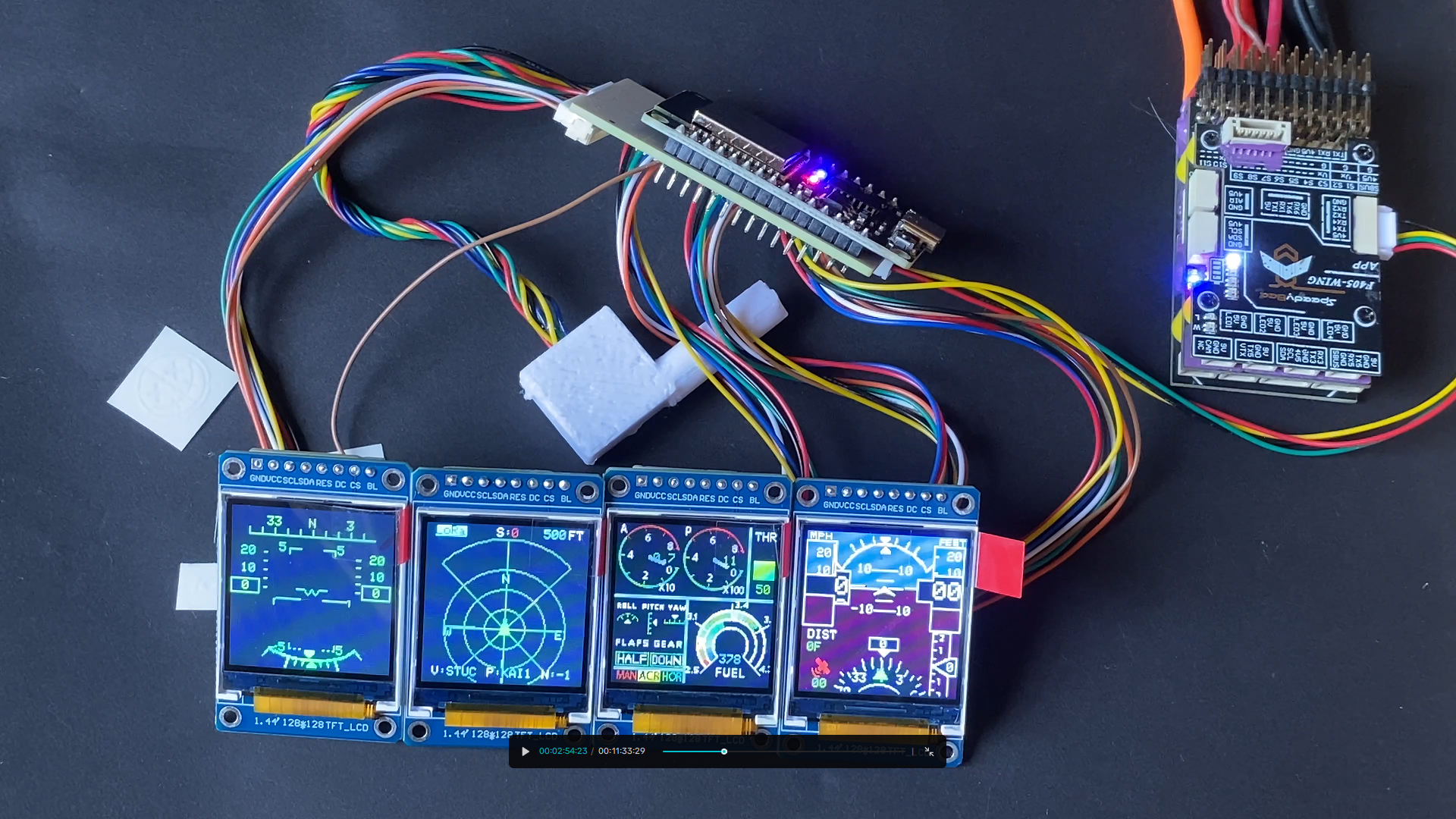
The Kairuhs V2.3 delivers Wi-Fi/LoRa MAVLink and MSP telemetry, dynamic HUD visuals, real-time radar tracking, and up to four simultaneous displays for full cockpit immersion, now with full standalone capability and integrated battery telemetry monitoring. No flight controller is needed.
Small batch productions
WHAT’S NEW IN V2.3
Full Standalone Mode — No Flight Controller Required
Factory IMU installation option makes V2.3 completely independent of a flight controller. Perfect for builds where FC space is limited, or pilots who want a simpler setup without FC wiring and programming.
Integrated Battery Telemetry Board (Optional Add-On)
New plug-and-play battery telemetry board provides:
- Real-time voltage monitoring (2S-6S, 7.4V-25.2V)
- Real-time current draw monitoring (up to 100A)
- Auto cell count detection (2S, 3S, 4S, 5S, 6S)
- Powers the entire Kairuhs display system via built-in 5V BEC
- Simple XT60 inline installation, no soldering required
- Works on any RC platform — planes, cars, boats, helis
FEATURES
Real-Time Radar — Up to 15 Pilots
Track every vehicle in the air or on the ground with peer-to-peer LoRa/Wi-Fi radar. See their ID, altitude, distance, and watch hostiles turn red for instant tactical awareness. Formation flying, racing, combat—all on your HUD.
Adjustable radar range via transmitter. Scale from close-quarters to long-range surveillance mid-flight using any RC channel.
Simulation mode included. Test radar behavior with AI traffic & pursuers, adjustable aggressiveness, chase speed, and tracking.
6 Active Warning Systems
Your cockpit screams when things go wrong:
🚨 Stall Warning 🚨 Overspeed Warning 🚨 Overcurrent Warning 🚨 Low Altitude Warning 🚨 Altitude Ceiling Warning 🚨 Low Voltage Warning
Per-screen control: Choose which displays show warnings. Flash entire HUD or Air Radar red during critical alerts. Battery voltage gauge flashes when crossing threshold.
Glass Cockpit PFD & MFD
Primary Flight Display (PFD):
- Speed tape with 3-second trend vector
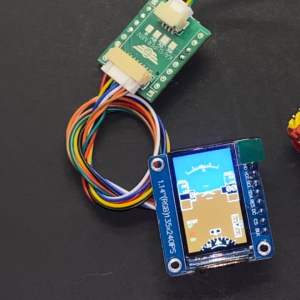
- Attitude indicator (pitch/roll horizon)
- Altitude tape with variometer
- Compass with return-to-home arrow and distance
- GPS lock indicator (turns green at 7+ satellites)
- Selectable units: MPH/KMH/Knots, Feet/Meters/Yards
Multifunction Display (MFD):
- Throttle position
- Flight mode display (MAN • ACR • HOR)
- Voltage or fuel-style gauge
- Current (A) and power (W) readout
- Battery remaining percentage
- Per-cell voltage with auto cell count
- Flap and gear indicators
- Full attitude indicators: roll, pitch, yaw
16 Analog Gauges Across 4 Pages — With Realistic Physics
Not just graphics. Simulated instrument behavior with proper lag, smoothing, and dynamics:
- Airspeed (IAS) with 3D ground speed calculation
- Altimeter with VSI (vertical speed indicator)
- Turn Coordinator with realistic slip ball physics
- Heading compass
- RPM gauge (throttle-derived with smoothing)
- Manifold Pressure (simulated from throttle + current)
- Oil Pressure (simulated with realistic dynamics)
- Oil Temperature (0-300°F with green/yellow/red bands, affected by airflow)
- Fuel Quantity (based on per-cell voltage, left/right mirror needles)
- Coolant Temperature (-50-150°C, simulated from throttle/current/airflow)
- Attitude (AHI) — Classic blue/brown artificial horizon with dim mode for low-light
- Mono AHI — High-contrast monochrome artificial horizon for clean layouts
- Gear Indicator (Green = Up, Red = Down)
- Flaps Gauge (Green = 0°, Yellow = 20°, Red = 40°)
- Battery Voltage Gauge with flash warning at threshold
Global theme color: Change one setting, update every gauge.
HUD Display — Reflective Glass Ready
- Speed, altitude, pitch, roll, heading
- Distance to home with satellite count
- Vertical offset adjustable (0-112 range)
- Invert mode for reflective HUD glass — perfect alignment for windshield projection
Ground Dashboards — 9 Roles for Cars, Trucks, Boats
Track Dash 1 (Racing Dashboard):
- Curved arc throttle/RPM bar
- Shift light LED bar — green → yellow → red, flashes at limiter
- Large center speed readout
- Session timer — auto-starts when armed, stops when disarmed
- Temperature, voltage, satellite count
- Customizable theme colors
4 corner status LEDs with real telemetry:
- Top-left: Temperature (green idle, yellow warm, red ≥75°C, flashing red ≥85°C critical — tuned for nitro engines)
- Bottom-left: Battery voltage (green normal, red low, flashing red at critical threshold)
- Top-right: GPS satellite count (red <7, yellow 7-17, green 19+)
- Bottom-right: MAVLink/MSP link status (green=active, dim=stale/lost)
Track Dash 2 (Performance Dash):
- Left segmented bar: RPM (throttle-derived)
- Right segmented bar: Speed
- Voltage, fuel level, temperature with LED
- Satellite count
- Customizable theme and text colors
Street Dash:
- Center tachometer gauge (throttle-derived)
- Right speedometer gauge
- Left dual arc gauge: temperature + fuel
- Decorative warning strip for scale appearance
- Selectable speed units
Ground Gauges:
- Voltage needle gauge
- Temperature gauge
- Temperature warning LED: dim red idle, solid red ≥75°C, flashing red ≥85°C critical
- Fuel level arc gauge (derived from voltage)
Inclinometer:
- Left: Compass rose with rotating N/E/S/W
- Right: Attitude indicator with live pitch/roll fill (±40° range)
- Speed and voltage readouts
- Customizable theme colors
Ground Radar:
- Landscape square-grid layout
- Same radar tech as air mode
- Target labels: ID, altitude, distance
- Hostiles show red
- Customizable theme color
Double DIN GPS (Car Nav Style):
- Modern car navigation aesthetic
- Speed, on-timer, temperature
- Satellite count and heading
- Perfect for scale car builds
Radio Dashboard:
- Touchscreen-style radio with on-timer roll
License Plate:
- Multiple plate styles: CA Classic Blue, Digital CA, Canada, and more
- Custom plate text (up to 10 characters)
TX Screen & Role Switching — Change Displays Mid-Flight
Switch what ANY screen shows using your transmitter. Assign screen select channel and role cycle channel—instantly toggle between PFD, radar, gauges, ground dashboards, etc.
Per-screen role enable/disable: Customize which roles each screen can cycle through. Disable roles you don’t use to streamline mid-flight switching.
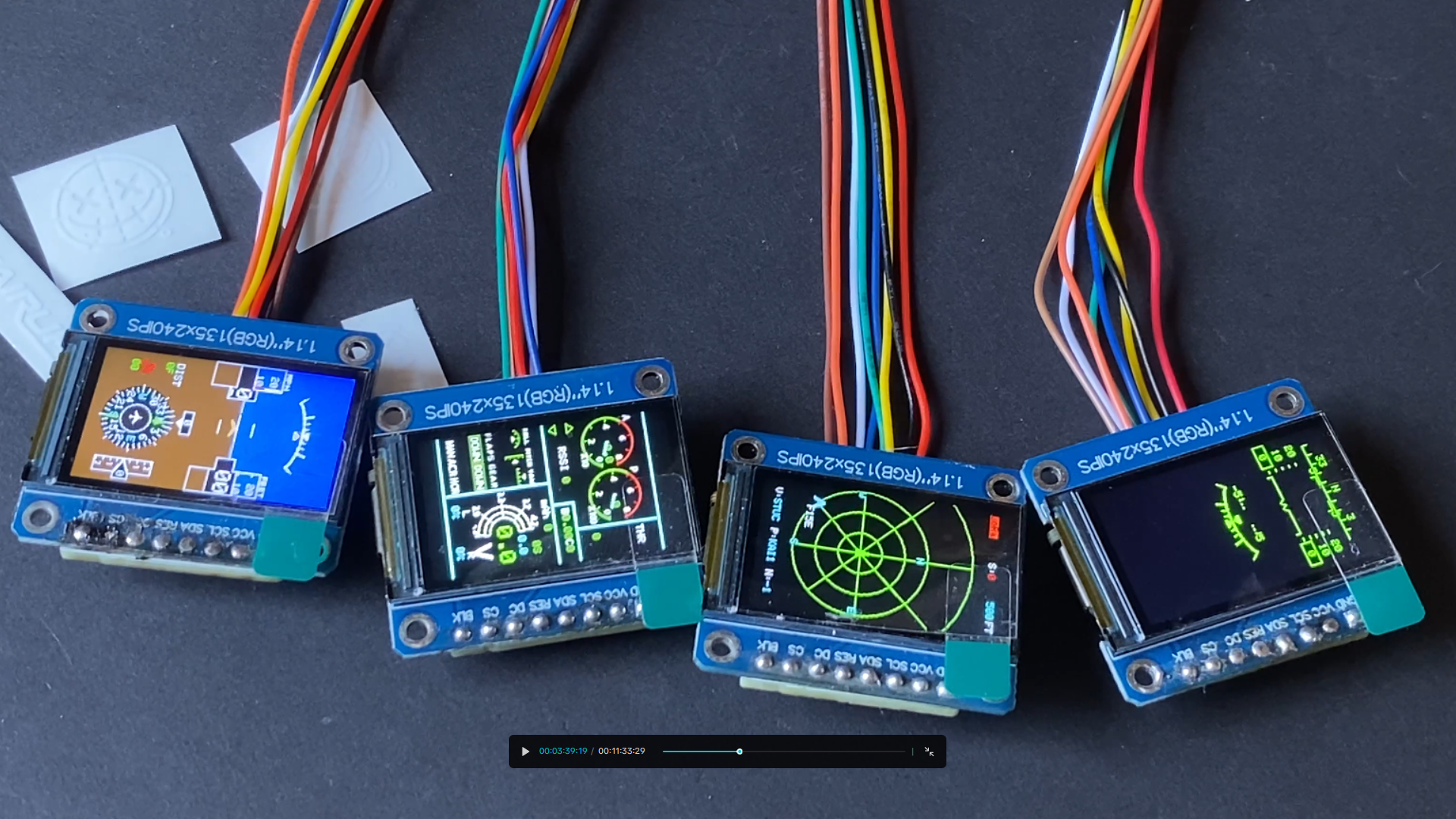
Quad Display Support — Up to 4 Screens Simultaneously
Run PFD + MFD + Radar + Gauges all at once. Each display independently assigned with individual rotation (0°, 90°, 180°, 270°).
Display/rotation constraints:
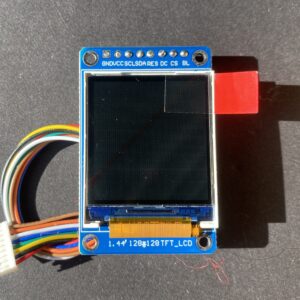
- 1.44″ screens: AIR pages in any orientation
- 1.14″ screens: AIR pages in portrait only
- GROUND pages require landscape orientation
Performance tip: Disabling unused screens increases frame rate 2-3x. Using only 1-2 displays can double system speed.
Adjustable SPI Speed (16-80 MHz)
Tune display refresh rate for your setup:
- 16 MHz: Maximum stability (best for multiple ST7789 displays)
- 27 MHz: Default setting
- 40 MHz: Advanced users
- 80 MHz: Maximum speed (use with caution)
Lower = more stable. Higher = faster refresh but potential screen tearing on sensitive displays.
Display Compatibility Notice
For best results, power the system from a clean, stable power source — USB and low-current sources may cause display instability when running multiple screens. Keep SPI wiring away from RF sources and antennas. In some setups, a capacitor at the power input may help.
Light & Temperature Sensors — Auto-Dimming + Thermal Monitoring
- Light sensor: Auto-dims screens for dusk/night operations
- Temperature sensor: Place on motor, ESC, nitro/gas engine, or use as ambient probe
- Real-time thermal readouts on dashboards
Check out our other listings for compatible temperature and light sensor modules.
Boot Screen System Check
Every startup shows firmware version & component status:
- Green = OK (component functioning)
- Red = Fault (no data or connection issue)
Checks MAVLink/MSP and LoRa module status before flight.
Multiple Power Options
Power the system through:
- FC-IN port (main UART connector)
- Solder pads on rear of board
- PWM port (standalone mode)
- USB port
⚠️ CRITICAL: Never power through multiple inputs simultaneously.
External Wi-Fi antenna support with external connection achieving up to ~1,500 ft ground-to-air range at 20 Hz. (HW v2.2 required)
AVAILABLE CONFIGURATIONS
FC-BASED KITS (Flight Controller Required):
Dual Kit — $109
- 1 control board + 2 screens
- Requires FC for telemetry data
STANDALONE KITS (No FC Required):
Stand-alone Dual Kit — $129
- 1 control board + 2 screens + factory IMU
- Fully standalone, no FC needed
- Displays flight data only (attitude, heading, speed, etc.)
- Battery voltage/current monitoring requires separate Telemetry Board
COMPLETE STANDALONE BUNDLE:
FC-Free Complete Dual Kit — $169 (Save $9)
- SA Dual Kit (board + 2 screens + IMU): $129
- Telemetry Board: $49
- No flight controller needed
- Full battery monitoring included
- Everything pre-configured and tested
LORA FREQUENCY OPTIONS
- 915 MHz — USA, Canada, Mexico, Australia, Brazil, Argentina
- 868 MHz — EU, UK, Russia, India, Middle East
- 922 MHz — Japan, Taiwan, South Korea, Hong Kong, Indonesia, Malaysia, Singapore, Thailand, Vietnam, New Zealand
- No LoRa (Wi-Fi Only) also available
WHAT’S IN V2.2 (ALL STILL INCLUDED)
Quad Display Support — Up to four displays simultaneously
MAVLink & MSP Support — Both protocols at 115200 baud (MSP stable on INAV 7+)
GPS Input Port — Standalone operation with GPS module
PWM Input Port — Direct throttle position sensing
Wi-Fi + LoRa Radar — Real-time peer-to-peer tracking of up to 15 pilots/drivers
Multiple Display Roles — AIR: PFD, MFD, HUD, Air Radar, Gauges Pages 1-3 | GROUND: Track Dash, Street Dash, Ground Gauges, Radio, License Plate, Inclinometer, Ground Radar, Double DIN GPS
Individual Screen Rotation — 0°, 90°, 180°, 270°
Light & Temperature Sensors — Auto brightness + thermal monitoring
TX Role Switching — Change display roles mid-flight
Simplified Setup — Configure via Wi-Fi AP mode, no physical buttons or CLI needed
EASY INSTALLATION & SETUP
FC-Based Setup:
- Connect to any UART-capable FC (5V, GND, RX, TX)
- INAV 7.x: Set MAVLink or MSP (115200 baud) in Ports tab — MSP is stable on INAV 7+
- Power on and configure
Standalone Setup (SA kits):
- Connect telemetry board XT60 inline between battery and ESC
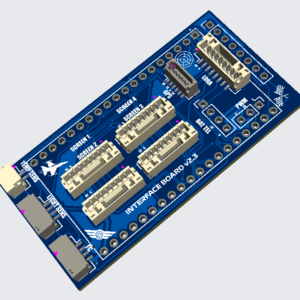
- Connect 4-pin Dupont from telemetry board to Kai board
- Power on
AP Mode (Wireless Config):
- Hold BOOT button at power-up
- Connect to KAIRUHS_Config (password: kairuhs123)
- Configure at http://192.168.4.1
- Full digital manual included in AP mode
IMPORTANT ORDER INFO
Select your exact configuration from the dropdown before checkout. Contact us if unsure which option is right for your build.
Limit 3 units per transaction to keep shipping costs manageable. Orders exceeding this limit may be refunded. For larger orders email us directly.
International customers: You are responsible for all import duties, taxes, and customs fees.
Assembly & Testing: Shipping expected to begin March 2025. Each unit is built and tested in the USA.
All sales are final.
Shipping & Availability
Units are expected to begin shipping in March 2026. This is a small batch production run, order early to secure your unit.
⚠️ SAFETY & COMPATIBILITY WARNINGS
- Product appearance may differ from photos shown
- Never power through multiple inputs simultaneously
- Verify pin layout before connecting if mixing kit variations
- Mixing 1.14″ & 1.44″ displays may cause layout impacts
- Read manual before operation
- LoRa and Wi-Fi transmission requires proper antenna — never transmit without antenna
DEMO, TUTORIALS & SUPPORT
YouTube: https://www.youtube.com/@Kairuhshq
Instagram: https://www.instagram.com/kairuhshq
Facebook: https://www.facebook.com/groups/1231576258453632
Thingiverse: https://www.thingiverse.com/KairuhsHQ/designs
Support: kairuhsconsole@gmail.com
Disclaimer: This product is intended for use by experienced RC hobbyists. Always follow local regulations regarding FPV and radio-controlled aircraft. Never fly over people, in restricted airspace, or beyond visual line of sight unless permitted by law. Users are solely responsible for complying with all applicable local, regional, and federal laws governing radio frequency transmission, including LoRa and Wi-Fi operation. The manufacturer is not responsible for damage, injury, or loss resulting from the use or misuse of this product. Use at your own risk.
Reviews
There are no reviews yet.